

For most enterprise users who use Synology's nas network storage device, after the device is connected to Synology There will be user-imported requirements. For some companies with a small number of people, they can build new one by one in the most stupid way. For enterprises that need to set up dozens of hundreds of users, this is a nightmare for network administrators. For this, we Guangzhou Tianhao Information Technology Co., Ltd. proposed two ways to help enterprises that need to establish multi-users quickly Solve the problem.
First, we enter the control panel in the DSM system of Synology nas, select the user account.

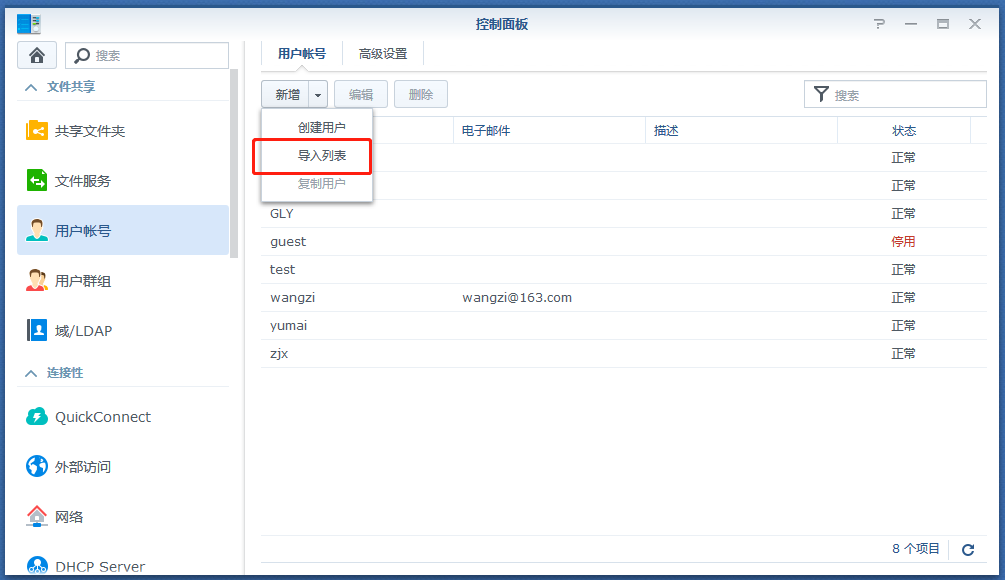
In the user account list, select the Add inverted triangle expansion drop-down option on the right to select the import list.
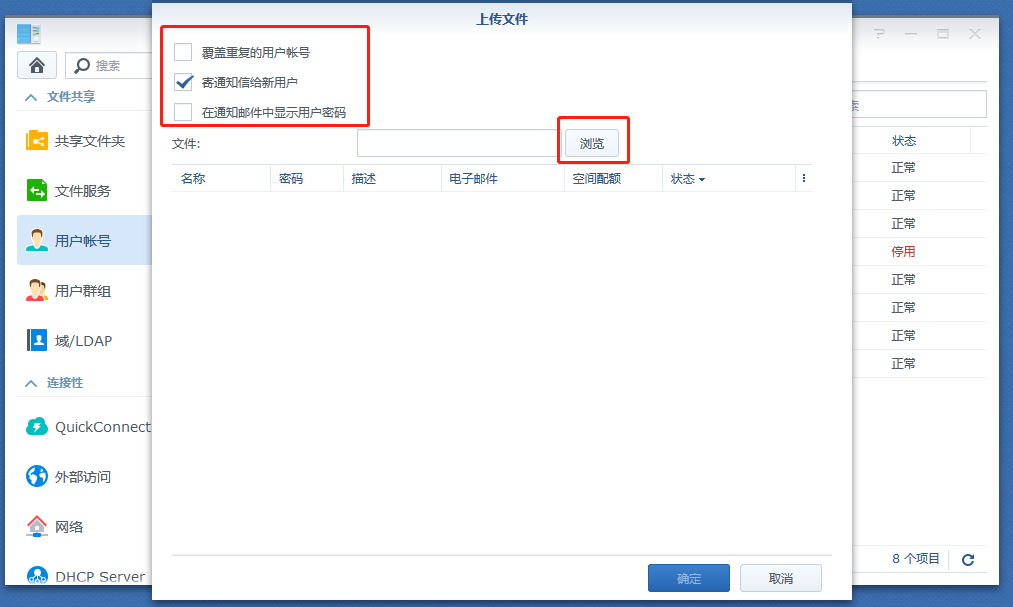
If you want to replace an existing account with a duplicate name with a user account in the list, check the Overwrite duplicate user account.
Click Browse to select the user list file. Once the file is selected, the preview area lists all the users that will be imported. Users with abnormal status will not be imported.
Click Upload to create a user account
After knowing the place to upload, we will create a file to create a user account in batches for uploading.
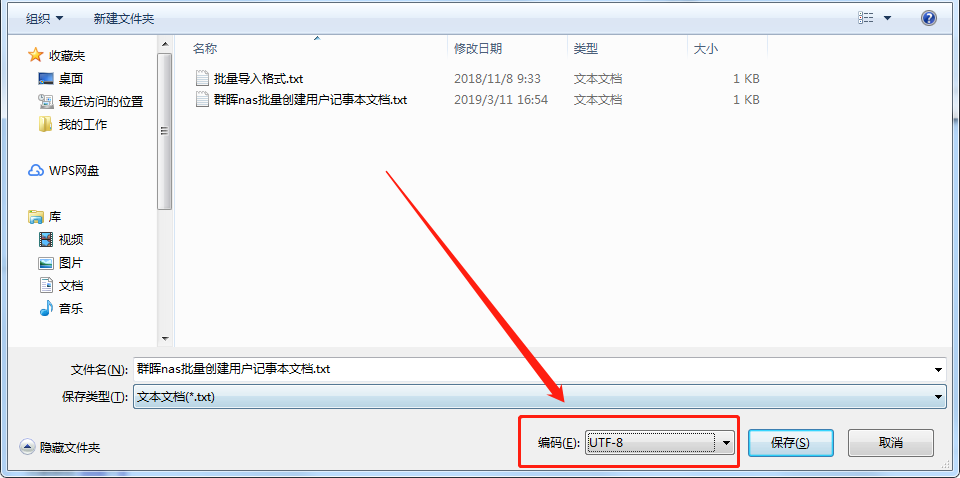
Note: No matter what method is used to create a group of huis, nas users need to upload UTF-8 encoded files.
Method 1: Create a group nas user in batches using Notepad (*.txt) files:
Use Notepad to open a new file. Enter user information in the following order and separate them with the TAB key:
Username Password Description Email
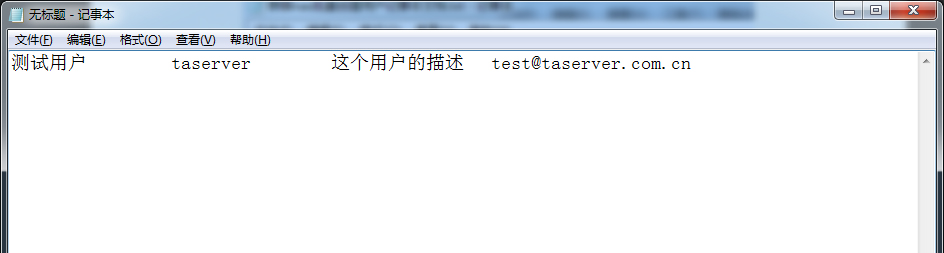
As shown above, it shows that a user has been added:
Username: test user;
Password: taserver;
Description: A description of this user;
Email: test@taserver.com.cn
Note: Sometimes the length of the TAB caused by switching between English and Chinese formats is different, and does not affect the user's batch addition.
Change to the next line and repeat the steps to enter all user accounts. Each line can only hold one user's information.
After adding the completed user, note the following figure to save the file as a UTF-8 encoding.
Method 2: Use Microsoft Excel to create an Excel file to create a group of nas users in batches:
Open a new file with Excel.
In the same row of cells, enter user information in the following order:
Username Password Description Email
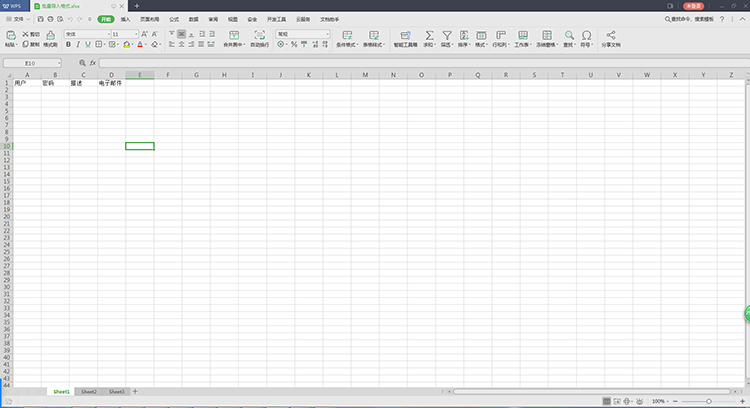
Change to the next line and enter all user accounts repeatedly. Each line can only hold one user's information.
Use the file compiler to open a new file. Copy the user information entered in the step to the added text file.
Store files in UTF-8 encoding. (Note: WPS does not support saving the selected encoding format. It is recommended to use the Office save file)